

You can always tell when a world feels real. The walls seem to breathe, the air feels different, and even silence carries a kind of weight. That’s the quiet art of 3D environment design, making digital spaces feel alive, not artificial.
Think of a neon street glistening after rain or the way sunlight filters through old cathedral windows. None of it just happens. Every flicker, every reflection, every tiny dust particle floating in the air, it’s all intentional. Someone decided it belonged there.
At Prolific Studio, a high-quality 3D animation studio, we’ve seen time and again how great environments can turn a simple story into something unforgettable. This guide to 3D environment design takes you behind the curtain, from early sketches to full renders, and shows what makes these worlds so believable.
[elementor-template id=”13845″]
Understanding 3D Environment Design
At its simplest, 3D environment design is about building spaces that feel like they could exist, even if they never will. Some mimic the real world. Others stretch far beyond it. The goal, though, is the same: to create places that carry emotion and give meaning to what’s happening inside them.
To pull it off, artists mix several skills: 3D environment modeling, lighting, texturing, and rendering. Each adds something unique: structure, surface, mood, and realism. When done right, the environment does most of the storytelling quietly in the background.
The Role of 3D Environment Design Across Industries
Once seen only in games and animation, environment design now shows up almost everywhere.
Games
In video games, the world itself plays a role. It’s not just decoration; it drives how the player moves, feels, and reacts. A narrow hallway can build tension; an open field can inspire calm. Every surface and shadow has a purpose. Great environment art for games mixes beauty and function so seamlessly that players barely notice it’s guiding them.
Film
In film, 3D environments remove the limits of physical space. Directors can shape entire planets, cities, or time periods without leaving the studio. It gives them creative freedom to control weather, lighting, and even camera flow before a single real scene is shot. It’s visual storytelling on another level.
Architecture Visualization 3D
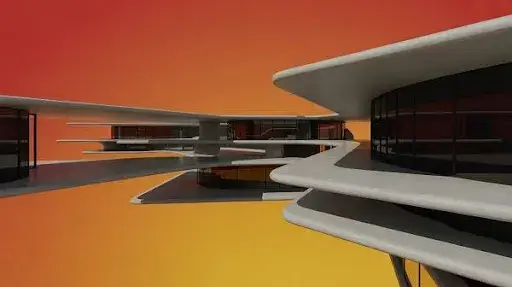
Architects use architecture visualization 3D to turn flat blueprints into something clients can feel. You can walk through a space before it’s built, watch sunlight shift through windows, or see how materials interact, long before construction begins. It saves money, time, and plenty of misunderstandings.
Training and Virtual Learning
From surgery to flight training, virtual environment design has changed how people learn. Students can practise in realistic digital setups without risk, getting comfortable with tools and timing before stepping into the real thing.
Everywhere you look, 3D environments act as the silent storyteller, shaping how we feel and understand what we see.
Core Elements of 3D Environment Modeling
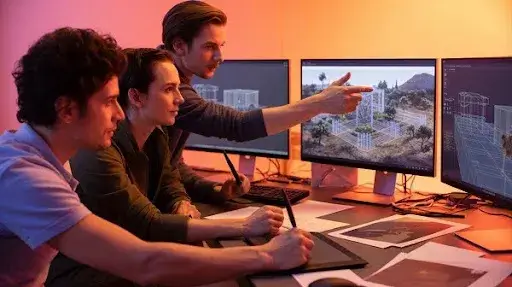
You don’t need fancy tools to build magic, just strong fundamentals.
1. Geometry and Structure
Everything begins with geometry: vertices, edges, and faces. Those simple components make up everything in the scene. Great designers balance detail and performance; too many polygons slow the render, too few make it look flat.
2. Textures and Materials
Surfaces tell their own stories. A wooden floor should feel slightly uneven; glass should reflect light but not like a mirror; stone needs that subtle roughness we recognize instantly. Smart UV mapping and physically based materials make those illusions work.
3. Lighting and Shadows
Light changes everything. It can make a safe room look menacing or turn a dull wall into something cinematic. Global illumination for 3D scenes mimics how light bounces naturally between objects, creating cohesion and depth.
4. Atmosphere and Depth
Atmosphere adds the soul. Dust in the sunlight, a layer of fog, the hint of humidity, these small cues convince your brain that what you’re seeing could exist.
Types of 3D Environments
Not every scene serves the same goal. Some need to be realistic, others dreamlike.
Natural Environments
Forests, beaches, and deserts rely on randomness. Artists often use procedural environment generation to scatter trees, rocks, and light patterns so they don’t repeat. Nature thrives in imperfection.
Urban and Architectural Environments
Cities and interiors are all about logic. Every structure should have a purpose. That’s why architecture visualization 3D tools are essential; they let artists test proportions, light flow, and material reflections long before real-world execution.
Fantasy and Sci-Fi Environments
This is where the imagination takes over. Alien cities, floating fortresses, and underground colonies, all built using 3D environment creation techniques that turn wild ideas into believable places. Procedural systems help avoid repetition and fill vast digital worlds quickly.
Historical or Stylized Environments
Here, it’s all about detail. A cracked sign or chipped paint can anchor a scene in its era. Stylized designs, however, bend the rules; bright colours, bold shapes, and exaggerated textures make them pop on screen.
Concept Art and Layout for Environments
Before the 3D work starts, concept artists plan how the world should feel.
This stage includes rough sketches, lighting studies, and concept art and layout for environments that define everything from mood to camera flow. It’s where vision and practicality meet.
They usually focus on:
- Mood and palette: Choosing colours that reflect the story’s tone.
- Composition: Directing attention toward what matters most.
- Scale: Making sure characters feel naturally placed within the space.
A solid concept phase saves hours of adjustment later. Once everyone signs off, it becomes the guidebook for modelers, texture artists, and lighting specialists.
Best Software for 3D Environment Design
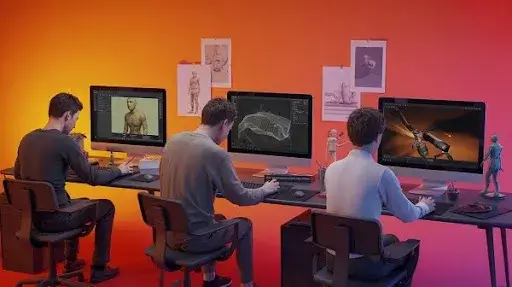
There’s no single “right” tool, just the one that fits your workflow best. Still, a few software tools dominate:
- Blender: Free, powerful, and constantly improving. Great for freelancers and indie creators.
- Autodesk Maya: A top pick for films and high-end animation.
- Cinema 4D: Easy to learn, ideal for motion graphics.
- 3ds Max: Strong for architecture visualization 3D and precision-heavy modeling.
- Houdini: A powerhouse for procedural environment generation and effects.
- Unreal Engine / Unity: The backbone of real-time interactive environments, letting you test worlds instantly.
The best choice depends on your goals, cinematic beauty, speed, or interactivity.
Tips for Texturing, Lighting, and Atmosphere
This is where good scenes become unforgettable.
Texturing: Keep maps detailed but light. Too heavy, and the render suffers. PBR materials work best for consistency across light conditions.
Lighting: Mix ambient and directional sources. Watch how shadows behave; that’s what gives depth and believability.
Atmosphere: Add subtle post effects like bloom, fog, or blur to pull the scene together. Go easy on them; restraint always looks more real.
Lighting often does half the storytelling. A single tweak can shift the entire mood.
Creating Real-Time Interactive Environments
More projects now demand worlds that respond. With Unity and Unreal Engine, artists can design real-time interactive environments that react instantly to light changes, movement, and even weather.
To keep them running smoothly, optimization matters. Reduce unnecessary geometry, control texture memory, and apply level of detail (LOD) adjustments to balance quality and performance.
These real-time systems power games, VR simulations, and architectural previews, giving users the freedom to explore, not just observe.
Optimizing and Rendering Large 3D Environments
Even the most stunning environment fails if it lags. Smart optimization keeps things running smoothly.
- 3D Asset Optimization: Merge and reuse wherever possible.
- LOD Systems: Lower detail automatically for distant assets.
- Lighting Efficiency: Pre-bake static lighting to save processing power.
- Render Settings: Tailor resolution for your platform; film renders differ from game outputs.
Good optimization isn’t about cutting corners. It’s about using your resources wisely so the final result feels seamless, no matter how big or complex the world gets.
Procedural Environment Generation and Realism
Automation quietly changed how artists build digital worlds. Instead of placing every pebble by hand, they now use procedural environment generation to let systems scatter, shape, and balance details automatically. Rocks, trees, and grass now arrange themselves in hours, not weeks, yet the scene still looks like someone crafted it with care.
Still, art needs instinct. No software can decide how far a river should bend or where the sunlight should break through clouds. The artist draws the map, and the computer just follows the rules. That mix of logic and emotion is what gives digital environments their life.
When combined with global illumination for 3D scenes and well-organized materials, these techniques create something rare: massive 3D spaces that look natural, not procedural. It’s efficiency with a heartbeat.
Challenges in Designing 3D Environments
Behind every finished world is a quiet struggle between creativity and computing limits. 3D environment design isn’t easy; it’s a test of patience, precision, and teamwork.
1. Balancing detail and performance
More detail looks great, but drags performance down. Less detail feels flat. Artists walk that line daily. Level of detail (LOD) setups help keep things sharp up close but lighter in the distance.
2. Keeping assets consistent
When a team grows, so do the chances of a mismatch. Shared texture libraries, fixed lighting templates, and strong art direction keep scenes unified.
3. Managing light
Lighting can make or break realism. Full global illumination looks beautiful, but eats processing power. Many studios now mix baked and real-time lights; it’s a compromise that keeps scenes cinematic yet efficient.
4. Tight deadlines
Studios and clients always want more, faster. That pressure forces smarter workflows, reusable assets, automated generation, and heavy organization.
The truth is, these obstacles don’t block progress; they refine it. Every limitation teaches the artist something new about control and craft.
How 3D Environment Design Builds Emotion
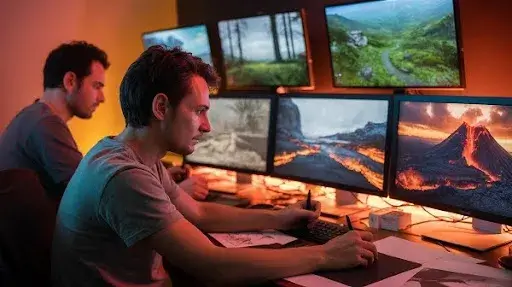
A well-made environment speaks without dialogue. A cracked wall or a flickering lamp tells a story all its own. That’s what 3D environment modeling really does: it builds emotion through space.
In environment design for games or environment design for film, everything matters: the light, the texture, the sense of scale. A narrow alley triggers tension. A sunlit field eases it. The environment becomes part of the script.
Even architecture visualization 3D projects rely on this emotional pull. Soft, warm light makes a home feel welcoming. Cooler tones turn it modern or distant. Great design doesn’t just show, it makes you feel.
Inside the Workflow of 3D Environment Creation
Every studio has its process, but most successful teams follow the same rhythm.
- Research and references – It begins with discovery: reference shots, sketches, and color cues. Everyone aligns before modeling starts.
- Blocking and layout – Designers test shape, scale, and navigation to ensure the flow feels right.
- Modeling and detailing – This is the heart of 3D environment creation. Every wall, beam, and prop adds texture to the story.
- Texturing and materials – Realism lives here. Artists layer scratches, dirt, and subtle wear so surfaces breathe.
- Lighting and rendering – Global illumination, reflections, and tone come together to ground the space emotionally.
- Optimization and export – Before delivery, 3D asset optimisation trims excess geometry and texture weight to keep everything smooth.
Each phase builds on the last. Skip one, and the world feels hollow.
Real-Time Engines in Modern Design
Engines like Unreal and Unity have flipped the script. Now, artists can walk through scenes instantly, adjust a light source, and watch shadows react in real time. That feedback changes everything.
For real-time interactive environments, this means quicker testing and more natural results. Architects can guide clients through virtual spaces; game designers can fine-tune immersion on the fly.
At Prolific Studio, these tools make collaboration faster and creativity freer, no endless re-rendering, just pure design flow.
Best Practices for Immersive 3D World Building
Creating worlds that feel right takes more than software skill. It’s intuition, knowing when to stop polishing and when to push further.
- Tell stories through space. Every object should hint at a bigger world.
- Balance scale. Wide views inspire awe; small textures create intimacy.
- Mind performance. Early LOD in 3D design, smart materials, and compressed textures save headaches later.
- Use lighting like dialogue. Soft glows calm; sharp light stirs tension.
- Invite feedback. A second pair of eyes always catches what you missed.
The best 3D environments aren’t about detail, they’re about connection.
The Future of Virtual Scene Creation
The gap between real and digital keeps shrinking. With virtual scene creation, AI tools can build textures, and ray tracing mimics natural light in stunning accuracy. The time between concept and final render keeps getting shorter.
But no matter how advanced tools become, artistry still leads. Today, 3D environment creation powers everything from VR education to digital twins for cities. The next frontier won’t just be realism, it’ll be experience.
Soon, 3D design won’t just show worlds. It’ll shape how we live, learn, and remember them.
Frequently Asked Questions
Which software is best for 3D environment design?
Blender, Maya, Cinema 4D, 3ds Max, Houdini, Unreal, and Unity, all have strengths depending on workflow and project needs.
How does global illumination improve realism?
It calculates light bounce and surface reflection, giving smoother, natural lighting transitions.
What makes environment design difficult?
Balancing realism with speed. Artists have to impress visually without overwhelming performance.
How do you optimize large scenes?
Through LOD, baked lighting, smart 3D asset optimisation, and careful texture management.
Final Words
At its core, 3D environment design is about feeling, not pixels. When light, structure, and story align, a digital space can move you like real life does.
At Prolific Studio, we craft high-quality 3D animation and world design that merge art with technology. From environment design for games to architecture visualization 3D, our team knows how to build emotion into every frame.
If you’re ready to see your concept take shape, reach out. Let’s create a world worth exploring, one that lingers long after the screen fades.
Related Articles: