

AI animation tools used to feel like a party trick. Now they can spit out a usable clip before your coffee cools down. That speed is great, then the bill shows up. Some tools run on credits where a few tests can wipe your month.
This guide is for creators, brands, and any video animation agency that wants to pick the right AI animation software without guesswork. We will cover what each tool is good at, what can go wrong, and the pricing tier that matters.
[elementor-template id=”13845″]
A quick map before we start
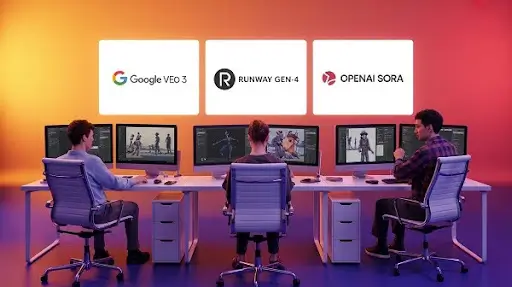
If you need pro-level AI animation for short cinematic drafts, start with Veo or Runway. If you need an AI animation creator for avatar-led messages, HeyGen is the faster path. For high-quality 2D animation where you want frame control, Animate plus Firefly makes sense.
If your job is bigger, like 3D product video animation services or 3D medical animation services, treat these tools as “draft engines.” Then bring the best bits into your 3D animation studio pipeline with 3D rigging for animation, lighting, and final comp. If your goal is quick social loops or animated NFTs, the lighter template tools can be enough.
1) Google Veo 3

Veo is Google’s premium text-to-video model. It is built for rich lighting, camera motion, and video with sound. It is a strong pick for trailer-style shots and pitch visuals.
Best for
- Brand teasers and pitch clips
- Fast concept boards for a 3D animation studio
- Testing AI video animation ideas before a full build
Pros
- One prompt can produce video plus audio
- Results often look like a real “shot,” not a template
Limits
- Long shots can drift, with small details changing frame to frame
- Pro export access is tied to higher plan tiers
Pricing
Google’s AI Ultra plan is priced at $249.99/month and is positioned as the highest access tier for Flow and early Veo 3 access.
Quick take
Use Veo for premium drafts. For client delivery, plan a second pass so products, faces, and logos stay consistent.
2) Runway Gen-4
Runway works like a mini post suite. Generate a shot, then trim, layer, and finish without leaving the platform. Gen-4 is great for short-form clips you will cut into a bigger edit.
Best for
- Ad teams making lots of variations
- Creators who want control over timing and polish
- Mixing AI-generated animations with motion graphics
Pros
- Generation plus editing in one place
- Useful for a pro pipeline, not just one-off clips
Limits
- Credits drop fast when you do many rerolls
- Longer videos are not the sweet spot
Pricing
Runway lists Standard at $12 per user per month (annual billing) with 625 credits per month, Pro at $28 with 2,250 credits, and Unlimited at $76 with Explore Mode plus 2,250 credits.
Quick take
If you want a Gen-4 AI Animation Tool that also supports finishing work, Runway is a strong pick.
3) OpenAI Sora

Sora is often used for story-first drafts. It helps directors and teams turn a script idea into a coherent scene with intent, not just random motion.
Best for
- Narrative tests for shorts and series
- Mood clips for trailers and pitch decks
- Early scene planning before production
Pros
- Strong composition and scene intent
- Good for pacing tests you later rebuild in production
Limits
- Fine-grain controls are limited, so it works best as a draft tool
- Availability and limits can change over time
Pricing
OpenAI lists ChatGPT Plus and Pro as paid plans priced per user per month, and Sora access is tied to these subscriptions.
Quick take
Use Sora to lock the idea and flow, then switch to core tools for clean, repeatable animation.
4) Adobe Animate plus Firefly
Adobe Animate is traditional animation software with real timeline control. It is not “prompt and publish.” Firefly adds generative help for quick assets and short tests, so Animate becomes a practical “Animate AI Animation Tool” setup for working animators.
Best for
- High-quality 2D animation with full control
- Studios that already use Adobe apps
- Client work that needs editable project files
Pros
- Reliable rig and timeline workflow
- Great for clean vector character animation
Limits
- Subscriptions add up
- Skills still matter, AI only speeds parts of the work
Pricing
Adobe lists Firefly Standard at US$9.99/month, Firefly Pro at US$19.99/month, and Firefly Premium at US$199.99/month.
Quick take
Perfect for studios that want AI help, while keeping every frame under control.
5) Animaker
Animaker is made for quick business content. Pick a style, drop in text, swap characters, and export. It is a common pick for infographics videos, training, and simple explainers.
Best for
- Explainers, training, and internal comms
- Social clips made in batches
- Teams with limited animation experience
Pros
- Easy drag-and-drop builder
- Big asset library for business scenes
Limits
- Templates can start to feel the samey
- Higher tiers are often needed for better quality output
Pricing
Animaker’s pricing page shows a Basic tier at $10 per month and a Starter tier at $19 per month (as listed on its pricing page).
Quick take
A fast “volume tool” for business videos, not a replacement for studio-grade character work.
6) HeyGen
HeyGen is avatar-first. It is popular for sales, onboarding, support, and localization. It also fits teams that need repeated presenter videos without filming.
Best for
- Personalized sales outreach at scale
- Support videos with a consistent presenter
- Multi-language versions of the same message
Pros
- Clear, easy plan structure and collaboration options
- Higher tiers include higher export resolution
Limits
- Interactive features take setup time
- Avatar style is not right for every brand
Pricing
HeyGen lists Free, Creator at $29/month, and Team at $39/seat/month, with Team including 4K export in the plan details.
Quick take
Great for “say it clearly” videos. Pair with custom animation for product stories and premium brand pieces.
7) DeepMotion
DeepMotion is the “film yourself, get motion data” option. You record a person moving, upload the clip, then export animation you can apply to a 3D character. It fits indie teams, game devs, and any 3D animation studio that needs motion fast.
Best for
- Phone based mocap for characters
- Previs movement tests before full 3D rigging for animation
- Blocking scenes with two or more people
Pros
- Turns regular video into motion data you can reuse
- Credit system is easy to understand: 1 credit equals 1 second of animation, face tracking and hand tracking add extra credit cost
- Helpful when you need human movement that does not look stiff
Limits
- It still needs cleanup for client work
- Bad lighting or a messy background can confuse tracking
Pricing
DeepMotion pricing is plan-based, and the key thing to watch is credits and job priority. The Studio plan can run in an “unlimited credits” mode after a monthly threshold, with high priority for the first chunk.
Who should use it
Great fit if you build character and work in a 3D animation studio and want speed. Skip it if you only make high-quality 2D animation and never touch 3D characters.
8) Vyond
Source: https://en.wikipedia.org/wiki/Vyond#/media/File:Vyond_2018.svg
Vyond is built for business animation. It shines when the goal is clarity: training, onboarding, policy videos, and infographics videos that keep people awake.
Best for
- Corporate training and HR
- Product explainers with clean visuals
- Teams that need repeatable templates
Pros
- Strong template library and business-friendly styles
- Built-in charts and infographic-style visuals
- Runs on credits for newer generation features and speech usage
Limits
- Style can feel “corporate by default”
- Not ideal for artistic shorts or film-level character acting
Pricing
Vyond lists Starter at $99/month or $699/year, with credits included per user per month, plus higher annual tiers for Professional, Enterprise, and Agency.
Who should use it
Perfect for a video animation agency doing training and internal comms on a tight schedule. Skip it if you need a unique art style or deep character performance.
9) Krikey
Krikey aims to “make a 3D character, animate, and post.” It targets creators who want 3D motion fast, plus exports sized for social platforms. The tradeoff is control. You can move quickly, but you are working inside their system.
Best for
- Social creators who want simple 3D characters
- Fast drafts for brand mascots
- Animated NFTs and short loops for posts
Pros
- Quick path from idea to a moving character
- Useful starter option for teams testing AI video animation concepts
Limits
- Not built for film-grade 3D
- Advanced shot work still belongs in a 3D animation studio pipeline
Pricing
Krikey publishes plan options on its pricing page, and plan details can change, so use it as the final check before you commit.
Who should use it
Good for quick 3D drafts and social output. Skip it if you already run a full traditional animation software workflow and want full control of rigs, shaders, and camera work.
10) Revid
Revid is built for speed. Feed it text, a link, or a script and it helps you create short videos for TikTok, Instagram, and YouTube Shorts. It is not a cinema tool. It is a content factory tool.
Best for
- Social teams posting daily
- Turning blogs into short clips
- A video animation agency supporting lots of small campaigns
Pros
- Plan pages clearly show what you get
- Auto mode workers are built for scale
- Great when “done today” matters more than custom art direction
Limits
- Credit systems still apply for generation-heavy work
- Patterns can repeat after a lot of output
Pricing
Revid lists Hobby at $39/month, Growth at $39/month shown as a promo price on the page, and Ultra at $199/month, with credits and Auto mode workers scaling up by tier.i
Who should use it
Perfect if your job is volume. Skip it if you need pro-level AI animation that holds up in a brand film or a product launch hero video.
11) PixVerse
PixVerse is built around viral effects and quick image-to-video transformations. It is popular for template-driven clips that lean into social trends.
Best for
- Creators chasing fast trend formats
- Effect heavy clips made in batches
- Short experiments and meme-style video
Pros
- Lots of ready-made effects
• Clear credit math for duration and resolution on the platform docs
Limits
- Credits can burn fast on higher resolution and longer clips
- Complex prompts can drop quality
Pricing
PixVerse’s platform docs show credit consumption by duration and output quality tiers, so you can estimate cost before you generate.
Who should use it
Great for trend content and quick effects. Skip it if you need clean brand consistency or long-form storytelling.
Frequently Asked Questions
What is the highest hidden cost in AI animation software?
Rerolls. The first output is rarely the final. Credits can disappear during “one more try” loops.
Can AI animation tools replace traditional animation software?
No. Traditional animation software still wins for control, repeatability, and clean revisions. AI helps speed up parts of the process.
Which AI animation creator is best for corporate training?
Vyond is built for that use case, with templates and business-friendly visuals.
Which tool is best for motion capture on a budget?
DeepMotion is a strong option since it turns video into motion and uses a clear credit model tied to seconds of animation.
Do these tools help with high-quality 2D animation?
Adobe Animate plus Firefly from Part 1 is the better match for high-quality 2D animation with timeline control.
Final Words
AI animation tools can save days. They can also waste days if you keep chasing the perfect output inside one generator.
Pick one tool for drafts, one for edits, and one for your main production pipeline.
If you want videos that feel studio-made, with clean design, strong story, and real consistency, Prolific Studio can help. We work like a partner-level video animation agency and 3D animation studio, and we can take your best AI tests and turn them into finished work that holds up next to the big players.
Tell us what you are making, the style you like, and where it will run. We will map the fastest path from idea to final.
Related Articles: