Animation has become one of the most powerful ways to communicate ideas, tell stories, market products, and build memorable brands. From blockbuster movies and television series to social media advertisements, explainer videos, educational content, and product demonstrations, animation is everywhere. As businesses increasingly rely on visual storytelling to engage audiences, the demand for skilled animators continues to grow across industries.
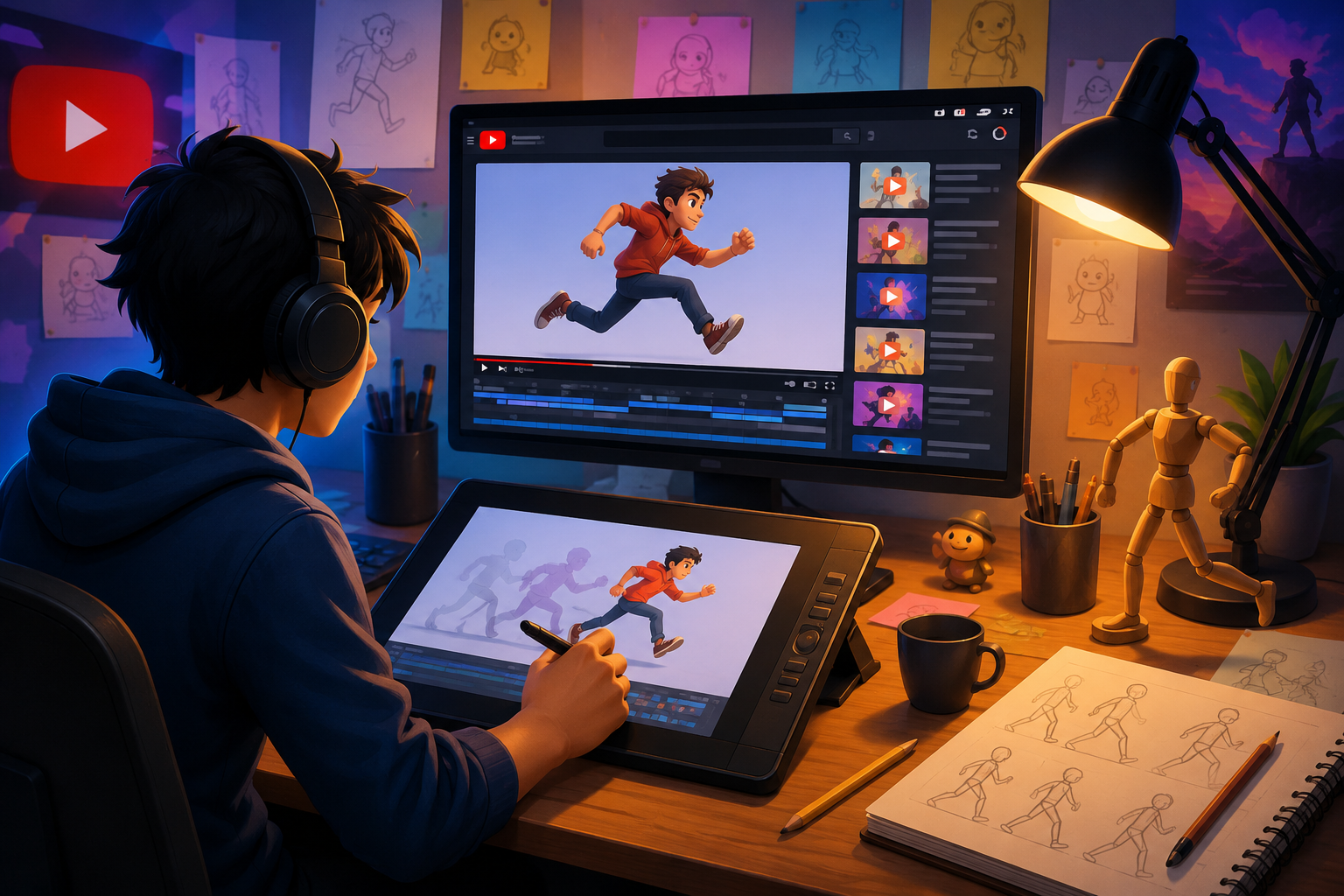
Fortunately, learning animation has never been more accessible. Years ago, aspiring artists had to enroll in expensive colleges or purchase costly training programs. Today, YouTube has transformed the learning experience by offering thousands of free tutorials covering every aspect of animation. Whether you’re interested in traditional 2D animation, modern 3D animation, motion graphics, visual effects, character rigging, or professional workflows, there are excellent channels that teach everything from beginner fundamentals to advanced production techniques.
However, with millions of videos available, finding tutorials that are genuinely educational can be challenging. Some creators focus only on software shortcuts, while others provide in-depth lessons that help students understand animation principles used by professional studios.
In this guide, we’ll explore the best animation tutorials on YouTube that can help beginners, intermediate artists, and professionals improve their skills in 2026. We’ll also discuss how to learn animation effectively and when working with an experienced animation studio becomes the smarter business decision.
Why YouTube Is One of the Best Places to Learn Animation
YouTube has become a valuable learning platform because it allows creators to share practical knowledge without expensive subscriptions. Unlike traditional courses that may become outdated, many YouTube educators regularly update their content to reflect the latest software versions and animation trends.
Some of the biggest advantages include:
Learn at Your Own Pace
Animation requires patience. A five-minute animated scene may take hours or even days to produce. YouTube allows learners to pause, replay, and revisit tutorials whenever needed.
Completely Free Education
Many professional animators publish hundreds of lessons without charging anything. Beginners can build a solid foundation before investing in premium courses.
Covers Every Animation Style
Whether your goal is to create:
- Cartoon animations
- Explainer videos
- Product animations
- Game cinematics
- Architectural visualization
- Character animation
- Motion graphics
- Visual effects
there is likely a dedicated YouTube channel teaching those exact skills.
Software-Specific Training
YouTube offers tutorials for nearly every major animation program, including:
- Adobe After Effects
- Adobe Animate
- Blender
- Autodesk Maya
- Cinema 4D
- Toon Boom Harmony
- Unreal Engine
- Moho Animation
- Krita
- Spine
This makes it easier for learners to focus on the software they plan to use professionally.
Best 2D Animation Tutorials on YouTube
Although 3D animation continues to dominate gaming and film, 2D animation remains one of the most versatile forms of visual communication. Businesses frequently use 2D animation for explainer videos, social media advertising, educational content, healthcare communication, corporate presentations, and marketing campaigns.
The following YouTube channels consistently produce valuable educational content.
1. Alan Becker
Alan Becker is well known for his famous “Animator vs Animation” series, but his educational videos are equally valuable.
His tutorials explain:
- Animation timing
- Character movement
- Action sequences
- Frame-by-frame animation
- Storytelling fundamentals
Instead of simply teaching software, Alan explains why animation works, making his lessons valuable regardless of which tools you use.
2. Howard Wimshurst
Howard Wimshurst focuses heavily on professional animation principles.
His tutorials include:
- Character posing
- Walk cycles
- Acting in animation
- Animation mistakes
- Storyboarding
- Professional workflow tips
Many of his videos demonstrate how small adjustments dramatically improve the quality of animated scenes.
3. Toniko Pantoja
Toniko Pantoja combines animation education with storytelling.
His lessons cover:
- Acting techniques
- Character performance
- Animation principles
- Visual storytelling
- Professional animation careers
His teaching style makes difficult concepts easy to understand, making him one of the best educators for aspiring character animators.
4. BaM Animation
BaM Animation provides entertaining educational videos created by experienced professionals.
Topics include:
- Storyboarding
- Animation pipelines
- Character design
- Studio workflows
- Creative exercises
The channel also interviews working animators, giving viewers insight into how professional studios operate.
5. Proko (Animation Fundamentals)
Although Proko is primarily known for drawing education, many lessons directly improve animation skills.
Learning anatomy, gesture drawing, and character construction allows animators to create more believable movement and expressive characters.
Learning Animation Is More Than Learning Software
One mistake many beginners make is focusing entirely on software tutorials.
Knowing where every button is inside Blender or After Effects doesn’t automatically make someone a great animator.
Professional animation depends on mastering principles like:
- Timing
- Spacing
- Weight
- Anticipation
- Squash and stretch
- Follow-through
- Secondary motion
- Appeal
- Staging
- Character acting
These principles apply across nearly every animation platform. Once you understand them, switching between software becomes much easier.
Turning Practice into Professional Results
Watching tutorials is only the first step. Consistent practice is what transforms knowledge into real-world skills. Many aspiring animators recreate tutorial projects but struggle when working on original ideas. To improve faster, it’s important to challenge yourself with personal projects, experiment with different animation styles, and seek constructive feedback from experienced artists.
For businesses, however, learning animation internally isn’t always practical. Marketing campaigns, product launches, and client presentations often require polished visuals delivered within tight deadlines. That’s where partnering with an experienced animation studio can make a significant difference.
At Prolific Studio, our team creates engaging animations for brands across industries, from promotional videos and product explainers to educational content and corporate storytelling. If your project requires clean, professional visuals with compelling narratives, our 2D Animation Services offer custom solutions tailored to your business goals. Whether you need character animation, explainer videos, logo animation, or social media content, our artists combine creativity with proven animation principles to produce results that captivate audiences while saving your team valuable production time.
Best 3D Animation Tutorials on YouTube
The world of 3D animation continues to evolve with advancements in real-time rendering, AI-assisted workflows, virtual production, and game engine integration. Whether you’re aiming to work in film, gaming, architecture, advertising, or product visualization, mastering 3D animation requires both technical knowledge and artistic skill.
Thankfully, YouTube is home to some exceptional educators who teach everything from modeling and rigging to lighting, rendering, and character animation.
6. Blender Guru
If you’ve searched for Blender tutorials, you’ve almost certainly come across Blender Guru. Created by Andrew Price, this channel has become one of the most trusted resources for Blender users worldwide.
His tutorials are known for being beginner-friendly while gradually introducing more advanced concepts.
Popular topics include:
- Blender fundamentals
- Modeling techniques
- Materials and textures
- Lighting
- Rendering
- Product visualization
- Scene creation
- Animation basics
The famous “Donut Tutorial” has helped thousands of beginners gain confidence with Blender and remains an excellent starting point for anyone new to 3D animation.
7. CG Geek
CG Geek creates visually engaging tutorials that focus on real-world projects instead of isolated software features.
You’ll find lessons covering:
- Environmental animation
- Motion graphics
- Product visualization
- Camera animation
- Simulation effects
- Realistic rendering
- Blender workflow optimization
His project-based approach allows learners to understand how different animation tools work together within a complete production pipeline.
8. Ducky 3D
Motion designers looking to create stylish, modern animations will appreciate Ducky 3D’s content.
The channel specializes in:
- Loop animations
- Abstract motion graphics
- Procedural animation
- Sci-fi visual effects
- Geometry Nodes
- Creative lighting
- Animated backgrounds
Many social media designers and digital marketers use these tutorials to create eye-catching visuals for online campaigns.
9. Pierrick Picaut (P2Design)
Character animation is one of the most challenging areas of 3D production, and Pierrick Picaut excels at making it approachable.
His tutorials explore:
- Character rigging
- Facial animation
- Walk cycles
- Acting
- Body mechanics
- Animation polish
- Professional workflows
For anyone interested in animated films or video game production, this channel offers valuable insights into creating believable character performances.
10. SouthernShotty
SouthernShotty focuses on creating cinematic scenes using Blender and Unreal Engine.
His content includes:
- Stylized environments
- Character integration
- Visual storytelling
- Camera composition
- Lighting techniques
- Rendering optimization
These tutorials are particularly useful for artists who want to build portfolio-quality projects.
Best Autodesk Maya Animation Tutorials
Autodesk Maya remains one of the most widely used animation tools in major film studios, television production houses, and game development companies.
If you’re planning a professional animation career, these channels deserve a place on your watch list.
Academic Phoenix Plus
Known for detailed explanations, this channel covers:
- Maya basics
- Character animation
- Rigging
- UV mapping
- Lighting
- Rendering
- Animation workflow
The lessons are structured logically, making them suitable for beginners and intermediate users alike.
Autodesk Media & Entertainment
The official Autodesk YouTube channel regularly publishes tutorials, software updates, feature demonstrations, and workflow improvements.
Learning directly from the software creators ensures you’re using the latest tools efficiently.
AntCGi
AntCGi provides comprehensive Maya tutorials alongside lessons for Blender and Unreal Engine.
Popular topics include:
- Character creation
- Sculpting
- Animation techniques
- Hard-surface modeling
- Production pipelines
His project-based teaching style mirrors real production environments, making it easier to understand how individual tasks fit into larger animation projects.
Best Motion Graphics Channels
Motion graphics combine animation, typography, transitions, and visual effects to create engaging marketing content, advertisements, corporate videos, and social media campaigns.
Here are some of the best YouTube channels for motion designers.
Ben Marriott
Ben Marriott has become one of the most respected After Effects educators on YouTube.
His tutorials cover:
- Motion design
- Typography animation
- Shape layers
- Logo animation
- Visual storytelling
- Client workflow
- Creative effects
He also shares valuable advice on freelancing and building a successful motion design career.
SonduckFilm
SonduckFilm focuses on practical tutorials that help creators produce polished visual effects quickly.
Topics include:
- After Effects tips
- Motion graphics
- Text animation
- Video editing
- Cinematic effects
- Color grading
These tutorials are particularly useful for marketers, YouTubers, and content creators who need professional-looking videos without lengthy production times.
ECAbrams
Evan Abrams explains complex After Effects techniques in a simple and engaging way.
His videos teach:
- Expressions
- Animated infographics
- Character animation
- UI animation
- Motion design workflows
- Creative transitions
Many experienced motion designers still reference his tutorials when solving advanced animation challenges.
Choosing Tutorials That Match Your Goals
With so many excellent YouTube channels available, it’s easy to feel overwhelmed. Instead of trying to watch everything, focus on tutorials that align with your long-term objectives.
For example:
- If you want to create animated explainer videos, prioritize 2D animation, storytelling, and motion graphics tutorials.
- If you’re interested in animated films or gaming, spend more time learning character animation, rigging, and 3D workflows.
- If product marketing is your focus, look for tutorials on lighting, rendering, and product visualization to create realistic promotional content.
Following a structured learning path is far more effective than jumping randomly between unrelated videos. As your skills improve, you’ll find it easier to combine techniques from multiple creators and develop your own animation style.
Best Character Animation Tutorials on YouTube
Character animation is often considered the heart of the animation industry. Whether you’re creating a feature film, an explainer video, a video game, or a television commercial, believable characters help audiences connect emotionally with your story.
Learning character animation requires more than moving a digital model from one position to another. Great animators understand acting, body language, facial expressions, timing, and emotion. Fortunately, several YouTube creators specialize in teaching these essential skills.
11. Sir Wade Neistadt
Sir Wade Neistadt is known for creating educational content that blends entertainment with practical advice. His videos often focus on the realities of working in the animation industry while providing valuable tutorials for aspiring professionals.
His channel covers:
- Character performance
- Animation workflow
- Career advice
- Portfolio building
- Freelancing tips
- Creative problem-solving
His honest discussions about the animation industry are especially helpful for students preparing for professional careers.
12. AnimSchool
AnimSchool is a respected online animation school, and its YouTube channel offers free educational content from experienced instructors.
Topics include:
- Acting in animation
- Facial expressions
- Lip-sync techniques
- Body mechanics
- Walk cycles
- Professional critiques
These videos provide insights into the techniques used by animators working on feature films, television series, and AAA video games.
13. Aaron Blaise
Former Disney animator Aaron Blaise has worked on iconic animated films and shares decades of experience through his YouTube channel.
His tutorials explore:
- Animal animation
- Character drawing
- Gesture drawing
- Storytelling
- Animation principles
- Wildlife movement
Watching an experienced Disney animator explain movement and performance can significantly improve your understanding of natural animation.
Learn the 12 Principles of Animation
No matter which software you choose, every animator should understand the 12 Principles of Animation introduced by Disney animators Ollie Johnston and Frank Thomas. These timeless principles continue to shape professional animation today.
Some of the most important principles include:
Squash and Stretch
This principle adds flexibility and life to characters and objects, making movement feel dynamic rather than rigid.
Anticipation
Small preparatory movements help viewers understand what a character is about to do, making actions appear more natural.
Timing
Timing controls the speed and rhythm of movement. Even subtle adjustments can completely change the emotion or impact of a scene.
Follow Through and Overlapping Action
Different parts of a character don’t stop moving at the same time. Hair, clothing, and accessories continue moving after the main action, adding realism.
Staging
Strong staging ensures the audience immediately understands the focus and purpose of each scene.
Appeal
Appealing characters aren’t just visually attractive—they’re expressive, memorable, and engaging, helping audiences form emotional connections.
Many YouTube tutorials focus specifically on these principles, making them an essential part of any animation learning path.
Storyboarding: The Foundation of Great Animation
Before animators create polished scenes, they typically begin with storyboards. Storyboarding allows artists to plan camera angles, character movements, scene transitions, and pacing before production starts.
Learning storyboarding offers several benefits:
- Improves storytelling skills
- Reduces production errors
- Saves time during animation
- Helps communicate ideas clearly
- Creates stronger visual narratives
Channels like BaM Animation, Howard Wimshurst, and Aaron Blaise regularly share storyboarding techniques that are useful for both beginners and experienced professionals.
Common Mistakes Beginners Should Avoid
While YouTube offers incredible educational resources, many new animators unintentionally slow their progress by developing ineffective learning habits.
Watching Instead of Practicing
It’s easy to spend hours watching tutorials without applying what you’ve learned. Animation is a hands-on skill, and improvement comes from consistent practice.
Tip: Recreate tutorial projects, then create your own original animation using the same techniques.
Trying to Learn Too Many Programs at Once
Many beginners jump between Blender, Maya, Cinema 4D, After Effects, and other tools before mastering the basics.
Instead, focus on one primary software until you’re comfortable with its workflow. Once you’ve built a solid foundation, transitioning to other programs becomes much easier.
Ignoring Feedback
Constructive criticism is one of the fastest ways to improve. Share your work with online communities, mentors, or fellow animators to gain fresh perspectives and identify areas for improvement.
Skipping the Fundamentals
Advanced visual effects and cinematic rendering can be exciting, but they won’t compensate for weak animation fundamentals.
Master concepts like timing, spacing, weight, and acting before moving on to complex effects.
Build a Portfolio, Not Just Skills
Learning animation is only part of the journey. To attract freelance clients or secure a studio position, you’ll need a portfolio that demonstrates your abilities.
A strong portfolio should include:
- Short character animations
- Walk cycles
- Facial expressions
- Product animations
- Motion graphics
- Personal creative projects
- Storyboard samples
- Finished videos with polished editing
Quality matters far more than quantity. Five outstanding projects will leave a stronger impression than twenty average ones.
How Professional Studios Accelerate Success
While YouTube is an excellent resource for developing animation skills, businesses often require results that go beyond what in-house teams or beginners can produce. Marketing campaigns, product launches, investor presentations, and brand storytelling demand polished visuals, strategic messaging, and efficient production workflows.
This is where partnering with an experienced animation studio becomes invaluable.
At Prolific Studio, we combine creative storytelling with technical expertise to deliver animations that help businesses communicate complex ideas in a simple and engaging way. Our team works across multiple industries, producing everything from product animations and promotional videos to educational content and corporate presentations.
For companies looking to simplify technical concepts, increase audience engagement, or strengthen their marketing efforts, our 2D Animation Services provide a flexible and cost-effective solution. Whether it’s an explainer video, animated social media content, logo animation, or character-driven storytelling, our artists focus on creating visuals that align with your brand identity and business objectives.
By combining industry best practices with a collaborative production process, we help clients transform ideas into animations that inform, entertain, and inspire.
Free YouTube Tutorials vs. Paid Animation Courses
One of the biggest questions aspiring animators ask is whether YouTube tutorials are enough or if investing in a paid course is necessary. The answer depends on your goals, learning style, and the type of projects you want to create.
Benefits of Free YouTube Tutorials
YouTube has revolutionized animation education by making high-quality learning accessible to everyone. Beginners can explore different animation styles without spending money and discover which software or career path suits them best.
Advantages include:
- Free access to thousands of tutorials
- Learn at your own pace
- Tutorials for almost every animation software
- Updated content covering the latest features
- Diverse teaching styles from experienced professionals
For hobbyists and beginners, YouTube is often the perfect starting point.
When Paid Courses Make Sense
As your skills improve, you may reach a stage where structured learning becomes more valuable. Paid courses typically offer a step-by-step curriculum, downloadable resources, assignments, and instructor feedback.
They can be particularly helpful if you’re preparing for a professional animation career or building a portfolio for studio applications.
However, many successful animators begin with free YouTube tutorials before investing in advanced education.
A Simple Roadmap to Learning Animation
Learning animation can feel overwhelming because there are so many tools, techniques, and creative disciplines involved. Following a structured roadmap can help you stay focused and make consistent progress.
Step 1: Learn the Fundamentals
Before opening any software, spend time understanding the core principles of animation, including:
- Timing
- Spacing
- Squash and Stretch
- Anticipation
- Follow Through
- Staging
- Appeal
These concepts are the foundation of every great animation, regardless of the software you use.
Step 2: Choose One Software
Avoid switching between multiple programs too early. Select one tool based on your goals:
- Blender for free 3D animation and modeling
- Autodesk Maya for professional film and game production
- Adobe After Effects for motion graphics
- Adobe Animate or Toon Boom Harmony for 2D animation
Mastering one platform first will make learning others much easier later.
Step 3: Recreate Tutorials
Watching tutorials is useful, but real improvement comes from practice. Follow along with projects, then challenge yourself to recreate them without looking at the instructions.
This reinforces your understanding and builds confidence.
Step 4: Create Original Projects
Once you’re comfortable with the basics, start producing your own work. Experiment with different styles, characters, and storytelling techniques to develop your creativity.
Original projects also become valuable additions to your portfolio.
Step 5: Build a Professional Portfolio
Your portfolio should highlight your strongest work rather than everything you’ve created.
Include projects that demonstrate:
- Character animation
- Storytelling
- Product visualization
- Motion graphics
- Camera movement
- Clean rendering
- Creative problem-solving
A polished portfolio is often more important than certifications when applying for animation jobs or freelance opportunities.
When Should You Hire a Professional Animation Studio?
Learning animation is a rewarding journey, but not every project is suitable for a DIY approach. Businesses often face tight deadlines, complex messaging, and high expectations from clients and stakeholders.
Hiring a professional animation studio can save time while ensuring a polished final product.
A professional studio is especially valuable when you need:
- Product launch videos
- Explainer animations
- Corporate presentations
- Marketing campaigns
- Social media advertisements
- Medical or technical animations
- Educational videos
- Brand storytelling content
Experienced teams manage the entire production process—from scriptwriting and storyboarding to illustration, animation, sound design, and final delivery—allowing businesses to focus on their core objectives.
Why Businesses Choose Prolific Studio
At Prolific Studio, we believe every animation should do more than look visually appealing—it should communicate a message, strengthen your brand, and inspire action.
Our creative team works closely with clients to transform ideas into engaging visual experiences that connect with audiences across industries. Whether you’re introducing a new product, simplifying a technical concept, or enhancing your digital marketing strategy, we tailor every project to your unique goals.
Our expertise spans multiple animation styles, including 2D animation, 3D animation, motion graphics, character animation, product visualization, and explainer videos.
For businesses seeking a versatile and cost-effective solution, our 2D Animation Services are designed to deliver high-impact content for websites, social media, presentations, training materials, and advertising campaigns. From concept development and storyboarding to animation and post-production, our team ensures every detail reflects your brand identity and engages your target audience.
By combining creativity, strategic storytelling, and technical precision, Prolific Studio helps brands create animations that educate, entertain, and convert viewers into customers.
Final Thoughts
YouTube has become one of the most valuable learning platforms for aspiring animators. From beginner-friendly introductions to advanced production techniques, it offers countless opportunities to develop your skills without a significant financial investment.
The key is choosing quality tutorials, practicing consistently, and focusing on the fundamentals before moving on to more advanced topics. Channels like Blender Guru, Howard Wimshurst, Ben Marriott, Alan Becker, Aaron Blaise, CG Geek, and AnimSchool provide exceptional educational content that can accelerate your growth.
Whether your goal is to become a freelance animator, join a professional studio, or create engaging marketing content for your business, continuous learning and regular practice are essential for long-term success.
And when your project requires professional-quality animation that delivers measurable business results, partnering with an experienced studio can make all the difference. At Prolific Studio, we’re passionate about helping brands bring their ideas to life through creative, impactful animation tailored to their unique vision.